Open topic with navigation
Remove a Ticker in the Market View
To remove a ticker in the Market View
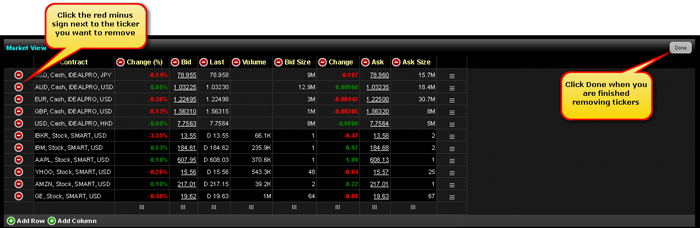
- Click the Edit button on the right side of the Market View module.
The Edit button changes to a Done button.
- Click the red minus sign next to each ticker you want to remove.
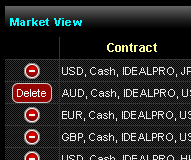
The minus sign changes to a Delete button.
- Click the Delete button next to each ticker you want to remove. The tickers are removed immediately.
- Click the Done button.